Your Squarespace orders, in Google Sheets. Automatically.
Every order, every column, every hour. Custom form answers included.
3 days free, then from $12/month.
- Gift note
- Wrap it, it's for Sam
| Order | Date | Product | Total | Gift note |
|---|---|---|---|---|
| #10482(new) | Oct 16, 9:41 | Oak glaze mug | $38.00 | Wrap it, it's for Sam |
| #10481 | Oct 16, 8:12 | Linen apron | $54.00 | — |
| #10480 | Oct 15, 17:03 | Speckled bowl, set of 4 | $96.00 | Happy housewarming |
| #10479 | Oct 15, 11:26 | Oak glaze mug | $76.00 | — |
Used by stores like



Connect Squarespace to Google Sheets in about two minutes
Three steps, once. After that your sheet keeps itself up to date.
- 1
Connect Squarespace
Sign in to your Squarespace store and give SuperJack access to your orders.
- 2
Choose a Google Sheet and columns
Pick a spreadsheet and a sheet, then the columns you want, from order number to custom form answers.
- 3
Orders sync every hour
New orders arrive as new rows every hour, on their own. No more exporting by hand.
Want the details first? Read our guide: How to connect Squarespace to Google Sheets
Every order, every column
Squarespace's export is a one-off file. SuperJack keeps a live copy in your own Google Sheet.
Custom form answers, columns of their own
Every checkout and product form question becomes a column, so answers never hide in one long notes cell.
Checkout form
Gift noteWrap it, it's for SamDelivery dateSat 14 JuneEvery hour, on its own
Your sheet checks for new and updated orders every hour. Set it up once and leave it.
Fulfilment 2026
Synced- 11:003 new orders
- 10:001 new order
- 09:005 new orders
Products and stock levels too
Send your product list, with SKUs, prices and stock, to a sheet of its own.
ProductStockOak glaze mugMUG-OAT-1214Speckled bowlBWL-SPK-043Linen apronAPR-LIN-0128Your columns, your dates
Pick the columns your sheet needs and only include orders from the dates you care about.
Choose columns
6 of 12 columns
Works with Zapier
New rows can start a Zap, or anything else that reads Google Sheets.
New spreadsheet row
Google Sheets trigger
#10482 · Oak glaze mug · $38.00
Whatever your forms ask
Florists ask for delivery dates, studios for experience levels, supper clubs for dietary needs. Every answer lands in its own column.
Fern & Folly
Florist
Delivery date
Sat 14 June
Little Loom Yoga
Studio
Experience level
Beginner
Oak & Ember
Ceramics
Gift note
Wrap it, it's for Sam
Saltwater Supper Club
Events
Dietary needs
1 vegetarian
Why not just export a CSV?
You can. Then you do it again tomorrow, tidy the columns again, and paste it over last week's notes.
Always up to date
New and changed orders arrive every hour. Nobody has to remember.
Form answers split out
Each custom form question is its own column, ready to sort and filter.
Only the columns you want
Hide the 40 columns you never look at. They stay hidden every sync.
A sheet you can build on
Formulas, pivot tables, Zapier and Looker Studio can all read it.
Free template and guide
Run your store from one spreadsheet
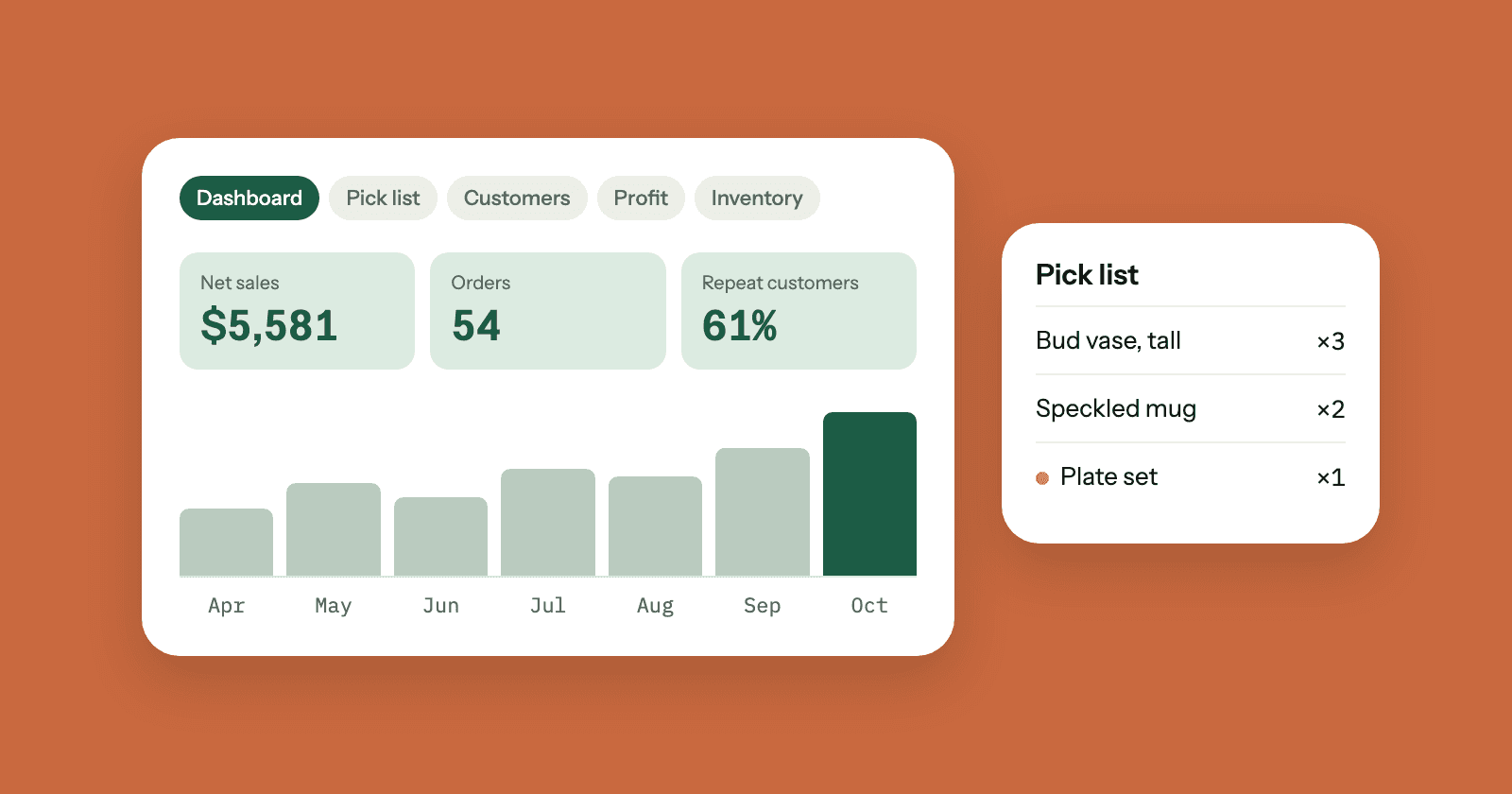
A free Google Sheets template for Squarespace stores: sales, pick list, customers, profit, stock and sales by state. The guide shows how each sheet works and a 15-minute weekly routine.
One plan, billed your way
Everything is included on both. Try it free for 3 days.
Monthly
$19/month
Billed monthly.
- 3-day free trial
- Up to 10 sheets
- Syncs every hour
- Every column, including custom form answers
- Products and stock levels
- Cancel any time
Yearly
Best value$12/month
$144 billed yearly. Save $84 a year.
- 3-day free trial
- Up to 10 sheets
- Syncs every hour
- Every column, including custom form answers
- Products and stock levels
- Cancel any time
Questions
Something else? Start your free trial and use Get help in your dashboard. A real person will get back to you.
What does SuperJack do?
SuperJack copies your Squarespace orders into a Google Sheet and keeps it up to date every hour. Every column comes across, including custom checkout and product form answers. You can also export your products, with prices and stock levels.
How does the free trial work?
Your first 3 days are free, with every feature included. After 3 days you're billed for the plan you chose. Cancel before the trial ends and you won't be charged.
How do I switch between monthly and yearly billing?
You can change your plan at any time from the billing page in your settings.
How do I cancel?
You can cancel at any time from the billing page in your settings.
What happens when I cancel?
Your sheets stop updating. Everything already synced stays in your Google Sheets, because the spreadsheets are yours.
What is a workflow?
A workflow connects your Squarespace store to one sheet. In it you choose the columns to sync and, if you like, a date range. Each workflow syncs every hour.
How many workflows can I have?
Up to 10, on either plan. If you need more, use Get help in your dashboard and we'll sort it out.
Does it work with Zapier?
Yes. Turn on Zapier compatibility in a workflow and each new order reaches Zapier through the Google Sheets "New Spreadsheet Row (Team Drive)" trigger. Anything else that reads Google Sheets works too.
Set it up once. Your sheet does the rest.
Connect Squarespace, choose a sheet, and your orders start arriving every hour.